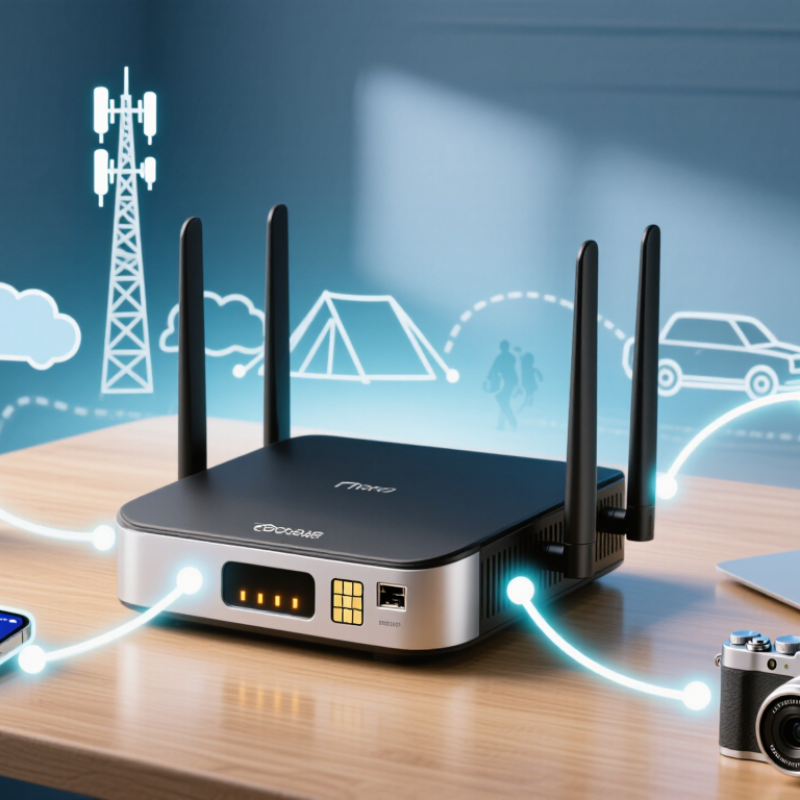
| Primary Purpose | Provides internet access by converting a cellular or Wi-Fi connection into a local network. | Designed for laptops, tablets, phones, cameras, and other Wi-Fi-enabled devices. | It can serve several devices without requiring each device to have its own cellular connection. |
| Cellular Network Connection | A built-in cellular modem communicates with a nearby mobile network using a subscriber identity module or embedded subscriber identity module. | Common cellular generations include 4G LTE and 5G, depending on network coverage and device support. | Speed, latency, and reliability vary with signal strength, network congestion, spectrum, and service-plan limits. |
| Wi-Fi Network Connection | The router creates a local wireless network that nearby devices join using a network name and password. | The local Wi-Fi link operates separately from the cellular link that provides internet access. | Wi-Fi range is affected by walls, interference, antenna placement, and the wireless standard in use. |
| Data Flow | Data travels from a connected device to the router, through the cellular or upstream Wi-Fi connection, and then to the internet. | Incoming responses follow the reverse path back to the connected device. | Every active device shares the available internet bandwidth. |
| Routing and NAT | The router directs traffic between the private local network and the external network, commonly using network address translation. | Connected devices usually receive private local IP addresses from the router’s DHCP service. | NAT helps conserve public IPv4 addresses but may complicate some inbound connections and peer-to-peer applications. |
| Device Authentication | The cellular network authenticates the subscriber, while Wi-Fi security authenticates devices joining the local network. | Wi-Fi Protected Access 2 or Wi-Fi Protected Access 3 is commonly used for wireless encryption. | A strong, unique Wi-Fi password reduces the risk of unauthorized access and data usage. |
| Internet Sharing | The router shares one upstream internet connection among multiple local devices. | Connected devices may use web browsing, email, cloud services, video calls, and streaming. | High-bandwidth activities can reduce performance for all other connected devices. |
| Bandwidth Sharing | The router schedules and forwards traffic from multiple devices over the same cellular connection. | Actual throughput is shared rather than independently guaranteed for each device. | More connected devices generally increase competition for bandwidth and may increase latency. |
| Latency | Latency is influenced by the wireless hop between the device and router, the cellular radio link, and the wider internet route. | Cellular connections often have more variable latency than a wired broadband connection. | Online gaming, remote control, and interactive video may be affected by congestion or weak signal conditions. |
| Power Source | Portable models use an internal rechargeable battery, while fixed models typically use external power. | Cellular transmission, multiple connected devices, and poor signal conditions can increase power consumption. | Continuous use may require charging, a larger battery, or a permanent power source. |
| Coverage Area | The device must be within usable range of both the cellular network and the router’s Wi-Fi signal. | Cellular coverage can extend far beyond the local Wi-Fi range, while Wi-Fi is intended for nearby devices. | Placing the router near a window or in an elevated location may improve cellular reception. |
| Ethernet Support | Some hotspot routers provide wired Ethernet ports for devices that do not use Wi-Fi or require a more stable local link. | Ethernet can reduce local wireless interference but does not remove limitations of the cellular connection. | Useful for desktops, network equipment, or applications sensitive to wireless interruptions. |
| Wi-Fi Repeater or Bridge Mode | Certain models can use an existing Wi-Fi network as the upstream connection instead of cellular service. | This allows local devices to connect through the hotspot router while the router relays traffic to another wireless network. | Performance depends on the quality of the upstream Wi-Fi link and may decrease when the same radio handles both links. |
| Security Functions | The router can isolate local devices from the public cellular network using routing, firewall rules, and private addressing. | Common controls include Wi-Fi encryption, firewall protection, guest access, and device management. | Security settings should be updated regularly, and unused management features should be disabled. |
| Data Usage | All connected devices consume data from the same cellular service allowance when the router uses mobile broadband. | Video streaming, operating-system updates, backups, and large downloads can use substantial amounts of data. | Monitoring data usage helps avoid unexpected slowdowns, restrictions, or additional charges under a limited plan. |
| Best Use Cases | Provides connectivity in temporary workspaces, travel locations, vehicles, backup internet setups, and areas without fixed broadband. | Suitable when portability, rapid setup, or cellular availability is more important than a fixed wired connection. | It may be less suitable for consistently heavy traffic or locations with unreliable cellular coverage. |