| Limited Counter Space | Small retail counter, kiosk, salon reception, or compact service desk | Compact countertop or tablet-style terminal | Small footprint, integrated display, minimal cabling, easy placement | Screen size of approximately 10–15 inches; compact stand; integrated payment or peripheral support | High | Measure the available counter area before purchase and allow room for customer interaction. |
| Mobile Checkout | Food truck, market stall, pop-up shop, delivery service, or event vendor | Battery-powered portable POS terminal | Wireless connectivity, long battery life, lightweight construction, rapid startup | Wi-Fi plus cellular or hotspot support; battery designed for a full operating shift; USB-C or equivalent charging | High | Confirm network availability and payment acceptance in every location where the device will be used. |
| High Transaction Volume | Quick-service restaurant, busy convenience store, or high-traffic checkout lane | Fast-response POS with reliable peripheral connectivity | Quick transaction processing, stable software, barcode scanning, receipt printing, and cash-drawer support | Solid-state storage; at least 4 GB RAM for many modern POS applications; USB, Ethernet, or Bluetooth connectivity | High | Prioritize consistent performance and easy replacement of peripherals over unnecessary premium features. |
| Low Transaction Volume | Appointment-based service, small studio, professional office, or occasional retail sales | Entry-level compact POS system | Basic product or service catalog, payment processing, digital receipts, and simple reporting | Reliable Wi-Fi; standard payment connectivity; sufficient storage for the selected POS application | Medium | Avoid paying for advanced inventory, multi-location, or restaurant features that will not be used. |
| Inventory Management | Retail store with many products, variants, or frequently changing stock levels | POS capable of barcode scanning and cloud inventory synchronization | SKU management, barcode support, stock alerts, purchase tracking, and inventory reports | Barcode scanner compatibility; dependable internet connection; cloud or local data backup | High | Check whether the software supports product variants, stock transfers, and offline inventory updates. |
| Food and Beverage Service | Café, takeaway counter, small restaurant, or table-service operation | Touchscreen POS with order-routing and receipt capabilities | Menu modifiers, item notes, tax rules, split payments, kitchen or bar order routing | Touchscreen interface; printer or kitchen display compatibility; stable wireless or wired network | High | Test the order workflow during peak periods, especially for modifiers and cancelled items. |
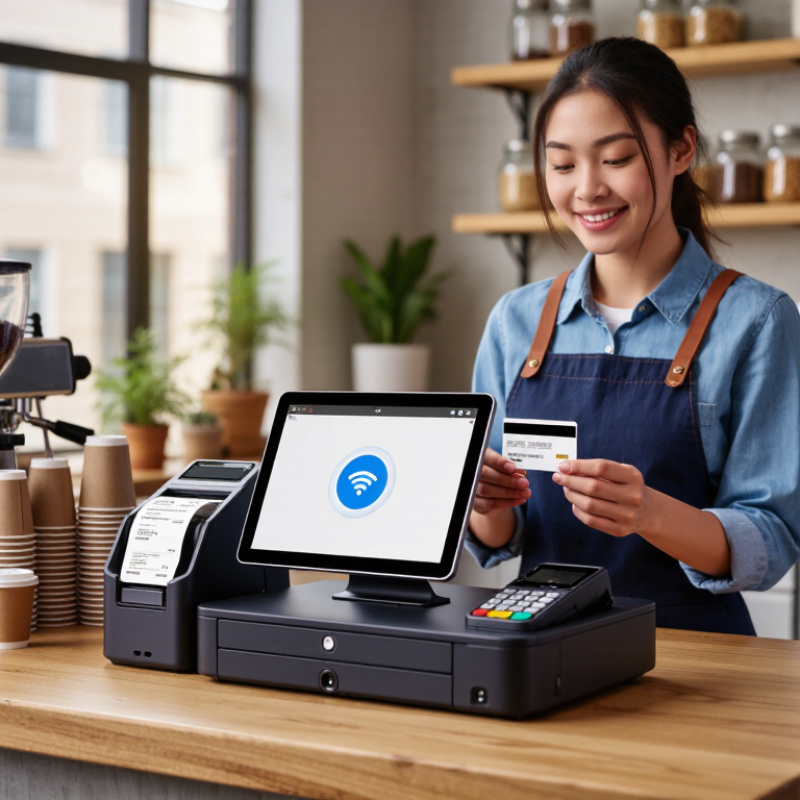
| Customer-Facing Payments | Retail or service business where customers complete payment at the counter | POS with integrated or adjacent customer payment terminal | Contactless, chip-card, PIN, and digital-wallet payment support where available | EMV chip support; NFC contactless support; encrypted payment communication; PCI-aligned provider processes | High | Payment features depend on the payment processor and country, so verify local compatibility before ordering. |
| Intermittent Internet | Rural location, temporary venue, mobile operation, or premises with unstable broadband | POS application with documented offline capabilities | Offline transaction handling, local data storage, automatic synchronization, and clear recovery procedures | Local storage; battery backup for portable use; Wi-Fi plus cellular or hotspot option | High | Confirm which payment types can be processed offline and how long offline mode is supported. |
| Multiple Employees | Business with several cashiers, sales assistants, or shift-based staff | POS with role-based user accounts and activity tracking | Individual logins, permissions, shift management, refund controls, and staff reports | Secure user authentication; administrator controls; audit logs or transaction history | Medium | Use separate accounts instead of shared passwords to improve accountability and security. |
| Customer Loyalty | Retail, café, or service business focused on repeat purchases | POS integrated with customer profiles, loyalty, or marketing tools | Customer records, points or rewards, digital receipts, consent management, and purchase history | Cloud synchronization; export or integration options; configurable privacy settings | Medium | Collect only the customer information needed for the loyalty program and follow applicable privacy laws. |
| Reporting and Accounting | Owner-managed business requiring daily sales and financial visibility | Cloud-connected POS with reporting and accounting integration options | Sales summaries, tax reports, payment reconciliation, product performance, and data export | CSV or spreadsheet export; scheduled reports; role-based access; cloud backup | Medium | Check whether reports separate gross sales, discounts, taxes, refunds, and payment-processing fees. |
| Security and Data Protection | Any business processing customer, payment, or employee information | POS with secure software updates and controlled access | Strong authentication, encrypted connections, automatic updates, backups, and remote account controls | Secure boot where supported; device encryption; screen lock; reputable payment-processing environment | High | Confirm update support, warranty coverage, account recovery, and data deletion procedures. |
| Future Expansion | Growing business planning to add products, employees, locations, or sales channels | Scalable POS platform with modular hardware and software | Additional terminals, multi-location management, e-commerce integration, and centralized reporting | Expandable user and location limits; API or integration support; scalable subscription structure | Medium | Review total ownership cost at the expected business size, not only the initial device price. |
| Ease of Training | Seasonal staff, part-time employees, or businesses with frequent staff changes | Intuitive touchscreen interface with guided workflows | Simple navigation, quick product search, clear error messages, and accessible help resources | Responsive touchscreen; configurable menu layout; training mode or test environment | Medium | Ask staff to complete common tasks during a trial, including a sale, refund, discount, and end-of-day close. |
| Operating Cost Control | Startup or small business working within a strict technology budget | Energy-efficient device with transparent software and payment fees | Predictable subscription, support, maintenance, payment, and replacement costs | Low-power processor; durable enclosure; documented recurring fees; warranty and service terms | High | Compare the full cost over at least three years, including accessories, software, payment fees, and support. |